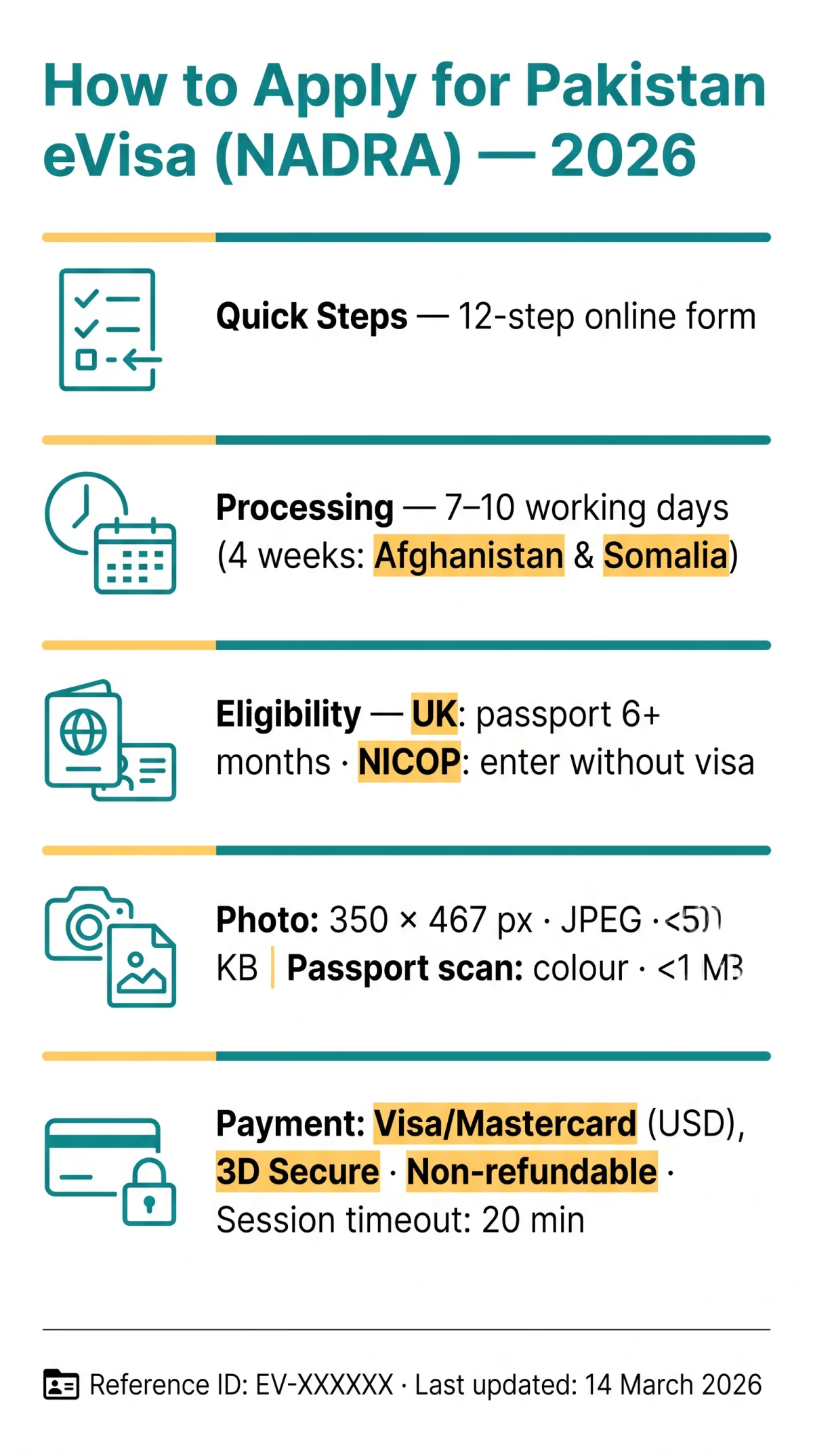
To apply for a Pakistan eVisa, register at visa.nadra.gov.pk, complete the 12-step online form, upload supporting documents, and pay the fee. Standard processing takes 7-10 working days. UK passport holders with at least 6 months validity are eligible, while NICOP holders can enter without a visa.
Last updated: 14 March 2026. This guide reflects the NADRA portal core engine v6.1.1 and tourist visa sub-module v2.1. We created a test account on visa.nadra.gov.pk to verify each step; the 20-minute session timeout and manual-save behaviour were confirmed during our walkthrough. This is an independent tourist information portal, not affiliated with NADRA or the Pakistan Ministry of Interior. Always verify current requirements on visa.nadra.gov.pk before applying.
Quick answer: To apply for a Pakistan eVisa in 2026, visit the NADRA portal at visa.nadra.gov.pk, create an account, select your visa category, fill in personal and passport details, upload your photo and documents, pay the fee online, and submit. Processing typically takes 7-10 working days.
Do You Need a Pakistan eVisa? UK Eligibility & Categories
UK passport holders with 6+ months validity qualify for a Pakistan eVisa; NICOP or SNICOP holders can enter Pakistan without a separate visa for an unlimited stay.
The Pakistan eVisa application process on the NADRA portal serves citizens of approximately 191 eligible countries, including the United Kingdom. Citizens of GCC countries do not require a visa to enter Pakistan. Before starting, check whether you fall under an exemption or alternative pathway:
- NICOP / SNICOP holders: If you hold a National Identity Card for Overseas Pakistanis or its Smart variant, you are recognised as a Pakistani citizen and may enter Pakistan without a visa for an unlimited period. You do not need to apply for a Pakistan eVisa.
- British citizen passport holders: Your passport must remain valid for at least 6 months from your planned entry date into Pakistan, not from the application date.
- Third-country nationals residing in the UK: If you hold a non-UK passport but live in the UK, you may still apply through the NADRA portal. Afghanistan and Somalia passport holders face a longer processing time of 4 weeks rather than the standard 7-10 working days.
- Visa on Arrival: Nationals of 50 countries (tourist category) and 95 countries (business category) can obtain a Visa on Arrival, but applying for a Pakistan eVisa in advance remains the safer route for UK travellers.
| Category | Entry Type | Stay Duration | Key Requirements |
|---|---|---|---|
| Tourist (Individual) | Single Entry | Up to 3 months | Passport, photo, hotel booking |
| Business | Multiple Entry (up to 5 years) | Investment promotion | Sponsor letter on E-stamp paper, SECP registration |
| Family Visit | Single Entry | Up to 3 months | Sponsor letter on E-stamp paper |
| Transit | Single Entry | Pass through only, not to stay | Valid visa for destination country |
The standard tourist eVisa is a single-entry visa valid for up to 3 months. Multiple-entry visas (up to 2 years) are arranged through consular channels. The visa category cannot be changed after selection on the Pakistan eVisa application form.
How to Apply for Pakistan eVisa: Access the NADRA Portal and Set Up Your Account
To apply for a Pakistan eVisa, register and submit your application entirely online at visa.nadra.gov.pk; the portal requires no in-person consular visit.
Go to the NADRA portal
Navigate to visa.nadra.gov.pk using Google Chrome, the recommended browser for the PAK VISA Portal (core engine v6.1.1, tourist visa sub-module v2.1).
Create a new account
Click “New Account,” enter your email address and password, then verify via the confirmation email.
Log in to your dashboard
After verification, log in to view three options: New Application, Available Applications, and Track Application.
Start your eVisa application
Select “New Application” to begin the Pakistan eVisa form. The entire process is online; no embassy or consulate visit is needed.
Session tips: The portal does not auto-save continuously, so save your progress manually after each section. Sessions time out after approximately 20 minutes of inactivity. Incomplete drafts are retained for a limited period.
What changed in 2026: In January 2026, NADRA updated the photo upload module to enforce the strict 350×467 px dimension rule at the server level. Previously, slightly off-dimension photos were sometimes accepted. All guidance in this article reflects the current portal behaviour.
Required Documents and Photo Specifications for the Pakistan eVisa
Before starting your Pakistan eVisa application, prepare a colour passport bio-page scan (PDF/JPG/PNG, under 1 MB) and a passport photo meeting specific portal specifications.
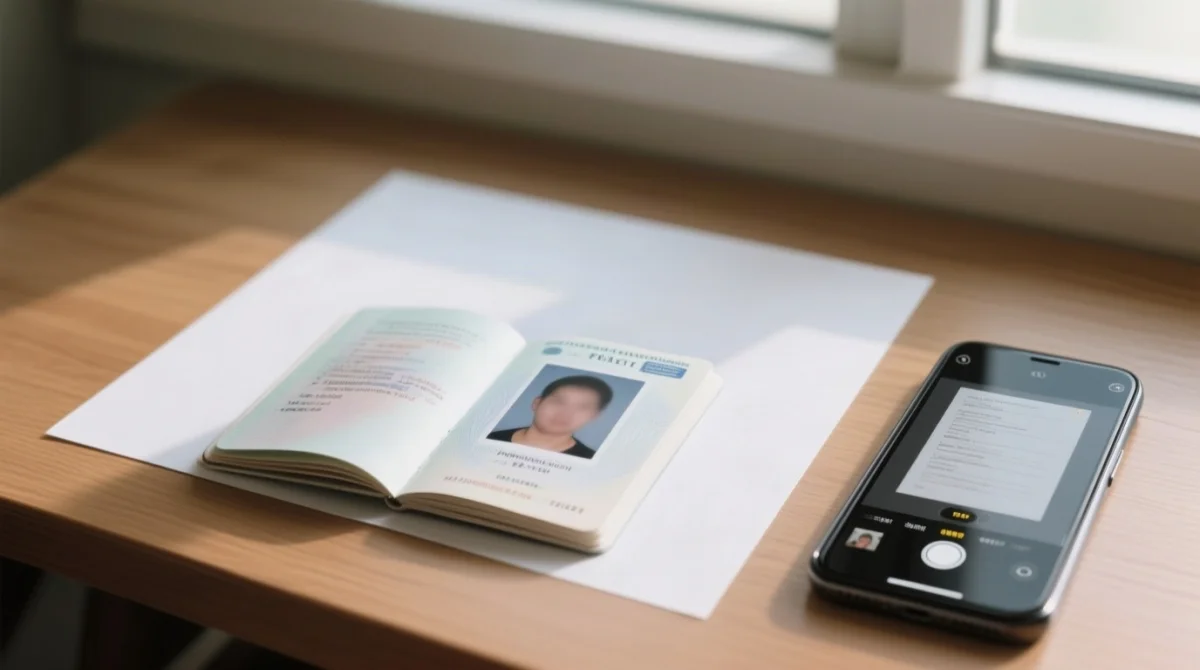
Upload only original documents; faxed, photocopied, or emailed copies will be rejected per Ministry of Interior rules. Your passport must be valid for at least 6 months from your planned entry date. The bio-page scan must be in colour, legible, and show all four corners.
| Parameter | Value |
|---|---|
| Photo pixel dimensions | 350 x 467 px |
| File format | JPEG |
| Maximum file size | Under 50 KB |
| Background | Plain white or light grey |
| Recency | Taken within the last 6 months |
| Document formats | PDF, JPG, PNG (max 1 MB per file) |
For accommodation proof, your hotel booking must be in your name and cover the entire duration of your stay. If visiting friends or family, a sponsor letter on E-stamp paper is required, with the host certifying responsibility for you during your stay. Use a mobile scanning app such as Adobe Scan or Microsoft Lens for clean, high-contrast scans.
How to Apply for Pakistan eVisa: Fill Out the Form (Steps 1-7)
Complete Steps 1-7: visa category, personal data, passport, travel details, sponsor info, and security questionnaire.
Select Visa Category
Choose from Tourist, Business, Family Visit, Conference, Student, or Transit. The category cannot be changed after selection, so confirm before proceeding.
Personal Information
Enter your surname and given name(s) exactly as printed on your British passport. Include date of birth, nationality, gender, and place of birth. Mandatory fields are marked with an asterisk (*); no column should be left vacant.
Passport Details
Input your passport number, date of issue, date of expiry, and country of issue. Common errors include extra spaces, special characters, and transposed dates.
Contact Information
Provide your full UK postal address, phone number with country code +44, and a verified email address.
Travel Details
Enter your planned entry and exit dates, purpose of visit, city of stay in Pakistan, and accommodation address. Dates must be consistent with your hotel booking covering the entire stay.
Sponsor/Host Information
Required for Family Visit and Business categories. Provide organisation name and registration number (SECP for companies). The sponsor letter must be on E-stamp paper, and the host must certify responsibility for you during your stay.
Security and Character Questionnaire
Answer questions on military background, prior visa denials from any country, countries visited in the last 10 years, organisational affiliations, criminal record, and infectious diseases. Answer honestly; inconsistencies with supporting documents trigger rejection of your Pakistan eVisa application.
How to Upload Documents and Submit the Pakistan eVisa (Steps 8-12)
Steps 8-12 involve uploading your photograph and documents, adding a digital signature, reviewing all entries, and clicking Submit.
- Photograph Upload: Upload a passport-style photo at 350×467 px, JPEG format, under 50 KB, taken within the last 6 months. Use the portal’s preview and crop tool; re-upload if rejected.
- Document Upload: Attach your passport bio-page scan, hotel booking confirmation, and sponsor letter if applicable. Accepted formats are PDF, JPG, PNG, each under 1 MB. Upload only original documents; faxed or photocopied copies are rejected.
- Digital Signature Upload: Scan a handwritten signature on white paper. A high-contrast scan is required for adult applicants.
- Application Summary and Verification: Review every field against your passport. Error messages appear in red. Verify all details before proceeding.
- Final Submission: Click Submit. The NADRA portal emails a reference ID in the format EV-XXXXXX. Save or screenshot this number immediately to track your Pakistan eVisa status later.
Pakistan eVisa Fees and Payment Methods for UK Applicants
UK applicants pay the Pakistan eVisa fee via Visa or Mastercard with mandatory 3D Secure authentication; enable international transactions on your card to prevent payment failures.
The NADRA portal displays all Pakistan eVisa fees in USD at checkout; the GBP equivalent depends on your issuing bank’s exchange rate at the time of payment. Fees are category-dependent: tourist single-entry is the standard rate, while business and multiple-entry categories carry higher fees. The portal lists fee types such as the Humanitarian Safe Passage Permit Fee. Crucially, fees are non-refundable; the Government of Pakistan does not refund payment even if the application is rejected.
| Category | Fee Currency | Payment Method | Refund Policy |
|---|---|---|---|
| Tourist (Single Entry) | USD at checkout | Visa / Mastercard | Non-refundable |
| Business | USD at checkout | Visa / Mastercard | Non-refundable |
| Family Visit | USD at checkout | Visa / Mastercard | Non-refundable |
Before paying, contact your UK bank to confirm international online transactions are enabled. Some UK banks block transactions to Pakistan by default. The NADRA payment gateway requires 3D Secure verification: your bank sends an OTP via SMS or banking app, so ensure your phone number is registered for international OTP delivery. Accepted cards: Visa and Mastercard credit/debit cards.
| Payment Issue | Resolution |
|---|---|
| Card declined | Check international transaction settings, sufficient funds, and card expiry date |
| Payment deducted but no status update | Wait 30 minutes; if unchanged, contact NADRA support via the portal’s complaint mechanism; do NOT re-submit (triggers duplicate charge) |
| Timeout during payment | Check your application status in the dashboard; it may have been saved as a draft |
Processing Time and What Happens Next After Submitting Your Pakistan eVisa
After submitting your Pakistan eVisa, the NADRA portal emails a reference ID; standard processing takes 7-10 working days, and the approved visa downloads as a PDF.
UK bank holidays and Pakistani public holidays do not count as working days; allow extra time during Ramadan and Eid. In some cases, the authorities may require you to appear before a Visa Counselor at the Embassy or Consulate General. If your Pakistan eVisa application is returned for correction, you have 7 days from the date it was sent for review to re-submit. Failure to meet this deadline means the application stands cancelled and the fee is forfeited. Processing time restarts from the re-submission date.
Visa extension: Once in Pakistan, you can apply for a tourist visa extension (multiple entry, processing time: 2 weeks working days). You must provide your last tourist visa page and proof of residing in Pakistan. A fresh visa is issued only upon expiry of the previous visa. If your visa expires while in Pakistan, apply online for an exit permit before travelling.
Once approved, the portal generates a PDF eVisa. Download and print at least 2 copies; present a printed copy at Pakistani immigration upon arrival. If your passport is not stamped on entry, contact a NADRA office immediately, as leaving Pakistan without an entry stamp will be difficult. Note: yellow fever vaccination certificates are mandatory if arriving from a transmission-risk country; polio certificates may be required in some circumstances.
How to Apply for Pakistan eVisa: Track Your Application Status
To track your Pakistan eVisa status, log into the NADRA portal, navigate to Track Application, and enter your reference ID to view your status: Submitted, Under Review, Approved, or Rejected.
- Go to visa.nadra.gov.pk
- Log into your account
- Navigate to “Track Application” in the dashboard
- Enter your reference ID (format: EV-XXXXXX)
- View your current status
| Status | Meaning | Action Required |
|---|---|---|
| Submitted | Application received, awaiting review | None; wait |
| Under Review | Being assessed by Pakistan authorities | None; wait |
| Approved | Visa granted | Download PDF eVisa; print 2 copies |
| Rejected | Application denied | Re-apply with corrected information |
| Returned for Correction | Errors found; resubmission required | Correct errors and re-submit within 7 days or application is cancelled |
If your email confirmation never arrived, check your spam folder, verify the email used during registration, and log into the portal dashboard to retrieve your reference ID. For more detailed guidance, see our dedicated guide on how to check your Pakistan eVisa application status. For in-person assistance, the Consulate General of Pakistan Manchester is located at 137 Dickenson Road, Manchester M14 5JB (phone: 0161-2252005, email: [email protected]; NADRA applications by appointment only, Mon-Fri 0800-1700 hrs). The Consulate of Pakistan Birmingham offers a “Track My Passport” online feature (phone: 01216431979).
Common Mistakes When Applying for a Pakistan eVisa and How to Avoid Them
The top Pakistan eVisa rejection causes include incorrect photo dimensions, blurry passport scans, and mismatched details; use this checklist before final submission.
- Wrong photo dimensions. The NADRA portal requires 350×467 px, JPEG format, under 50 KB, on a white or light-grey background, taken within the last 6 months. Rejections for non-compliant photographs are the most common issue UK applicants face.
- Greyscale or illegible passport scan. Upload a colour scan of your passport bio-page in PDF, JPG, or PNG format, under 1 MB per file. Faxed, photocopied, or emailed copies are rejected per Ministry of Interior rules.
- Name spelling mismatch. Copy your name character-for-character from your British passport bio page, including all middle names.
- Empty mandatory fields. Every field marked with an asterisk (*) must be completed. No column should be left vacant.
- Inconsistent dates. Your planned entry and exit dates must align with your hotel booking confirmation, which must cover your entire stay.
- Wrong visa category. The category you select in Step 1 cannot be changed after selection on the Pakistan eVisa application form.
- Blocked card transactions. Some UK banks block payments to Pakistan by default. Contact your bank before paying to confirm international online transactions and 3D Secure OTP are enabled.
FAQ
How long does it take to get a Pakistan eVisa from the UK?
Standard processing time for a Pakistan eVisa is 7-10 working days. UK bank holidays and Pakistani public holidays do not count as working days; allow extra time during Ramadan and Eid. Afghanistan or Somalia passport holders face a processing time of 4 weeks.
What is the Pakistan eVisa fee for British passport holders in 2026?
The NADRA portal displays visa fees in USD at checkout; the GBP equivalent depends on your issuing bank’s exchange rate. Fees are category-dependent and strictly non-refundable, even if your Pakistan eVisa application is rejected by the Government of Pakistan.
Can I apply for a Pakistan eVisa if I have a NICOP or SNICOP?
No. Holders of a NICOP (National Identity Card for Overseas Pakistanis) or SNICOP are recognised as citizens of Pakistan. You can enter the country without a Pakistan eVisa for an unlimited period of stay.
What photo size and format does the NADRA eVisa portal require?
The NADRA portal requires a passport-style photograph with pixel dimensions of 350 x 467 px. It must be in JPEG format, with a maximum file size of under 50 KB, and taken within the last 6 months against a plain white or light grey background.
What happens if my Pakistan eVisa application is rejected?
If your application is returned for correction, you have 7 days to re-submit it. If you fail to meet this deadline, the application stands cancelled and the fee is forfeited. If it is completely rejected, you must re-apply with corrected information and pay the visa fee again.
Can minors apply for a Pakistan eVisa independently?
No, minors below the age of 18 cannot apply independently. Applicants under 18 require a Parental Consent Form verified by a Notary Public. This document must be submitted alongside the child’s Pakistan eVisa application on the NADRA portal.
Is travel insurance required for a Pakistan eVisa application?
While not always mandatory at the application stage, Pakistan may require proof of health insurance upon entry. It is strongly recommended for UK travellers to obtain travel insurance before their trip.
Can I get a Pakistan Visa on Arrival instead of applying for an eVisa?
Visa on Arrival is available for nationals of 50 countries (tourist) and 95 countries (business). UK citizens should check current eligibility on the NADRA portal, as applying for a Pakistan eVisa in advance is the safer route.
How do I correct errors after submitting my NADRA eVisa application?
If the application is returned for correction, log in, make changes, and re-submit within 7 days. Processing time restarts from the re-submission date. If not corrected within 7 days, the Pakistan eVisa application is cancelled and the fee is forfeited.
Do I need to print my Pakistan eVisa after approval?
Yes. Download the PDF eVisa from the NADRA portal and print at least 2 copies. You must present a printed copy at Pakistani immigration upon arrival.