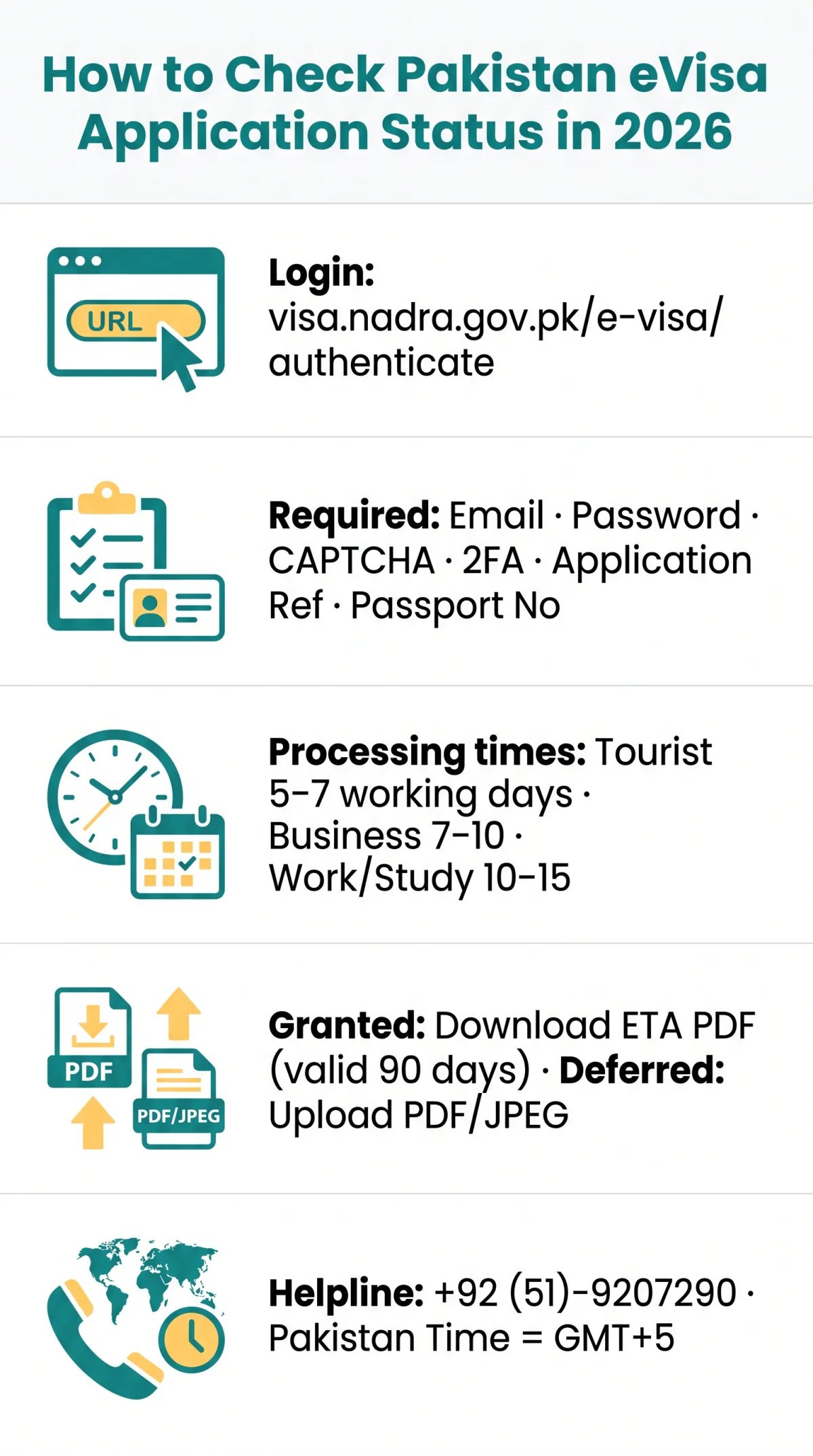
To check your Pakistan evisa application status, log in at visa.nadra.gov.pk/e-visa/authenticate using your registered email, password, CAPTCHA, and 2FA. Your dashboard displays the current status, with tourist eVisas typically processed within 5 to 7 working days.
To check your Pakistan evisa application status, visit the NADRA eVisa portal at visa.nadra.gov.pk, log in with your email and password, complete CAPTCHA verification, then navigate to your application history. Enter your Application Reference Number and Passport Number to view the current status, which may show as In Process, Granted, Deferred, or Rejected.
The Pakistan Online Visa System, operated by the Ministry of Interior, Government of Pakistan, has required all visa applications to be submitted online since 1st January 2021 and serves applicants from 192 eligible countries. The portal runs version 6.1.1 of the eVisa authentication engine and uses BotDetect Java CAPTCHA Library alongside two-factor authentication for login security. UK-based travellers use the same NADRA portal, which is a free public service with no third-party website collaboration. Pakistan Standard Time is 5 hours ahead of GMT, relevant when planning status checks and helpline calls.
Last verified: September 2026. All portal details, status labels, and helpline numbers were cross-checked against the Pakistan Online Visa System (visa.nadra.gov.pk) and Ministry of Interior announcements. This article is published by an independent travel information portal, not affiliated with the Government of Pakistan or NADRA. We do not charge for visa status checks. Editorial review: quarterly.
How to Log In and Check Your Pakistan eVisa Status Online
Log in at visa.nadra.gov.pk/e-visa/authenticate with your email, password, CAPTCHA, and 2FA, then enter your Application Reference Number and Passport Number to view your Pakistan evisa application status. The entire lookup takes about 2 minutes and is free of charge. First-time users can select “Create Account” on the login page. NADRA recommends changing your password at least every month.
Step-by-Step Login and Tracking Walkthrough
Navigate to the NADRA portal login page
Go to visa.nadra.gov.pk/e-visa/authenticate.
Enter your registered email and password
Fill in the designated fields with your credentials.
Complete the BotDetect CAPTCHA
Type the code from the picture.
Complete the 2FA authentication
Use your enrolled device. A 2FA Guideline is available on the login page if needed.
Navigate to your application history dashboard
Access your application overview.
Enter your Application Reference Number and Passport Number
Use the reference number from your confirmation email and the passport number from the main biodata page to view the current status. Ensure the date format follows the portal format (DD/MM/YYYY).
If you forget your credentials, use the “Forgot Password / Reset 2FA?” link on the login page. Enter your registered email to receive a reset link, then set a new password and re-enroll 2FA to resume checking your Pakistan evisa application status.
Understanding Your Pakistan eVisa Application Status Meanings
Each Pakistan evisa application status label on the NADRA portal dashboard signals a distinct stage requiring a specific next action. The portal displays one of seven status labels.
| Status Label | Meaning | What to Do Next |
|---|---|---|
| In Process | Application submitted and under review | Wait; tourist eVisas take 5-7 working days |
| Deferred | Documents missing or incomplete | Upload supplementary documents in PDF or JPEG format |
| Granted | Application approved | Download the ETA PDF from the portal |
| Cancelled | Application withdrawn by applicant or authority | Reapply if travel is still required |
| Under Review | Detailed assessment in progress | Monitor the dashboard for updates |
| Rejected | Application denied | Reapply or contact the relevant helpline |
| Additional Information Needed | Extra documents or details requested | Upload requested files and resubmit |
What to Do If Your Application Is Deferred
Log in, navigate to the application remarks section, and identify the deficiency. Upload supplementary documents in PDF or JPEG format only, checking file size and resolution requirements carefully. Resubmit once all requested files are attached. Common rejection reasons include incorrect file format and exceeding maximum file size limits.
Pakistan eVisa Status “Rejected” – What to Do Next
If your Pakistan evisa application status shows Rejected, review any remarks in the portal for the reason. You may reapply or contact the relevant helpline for clarification. For tourist and family visit visas, call +92 (51)-9207290. Ensure all document requirements are met before reapplying, as incomplete submissions are a common cause of rejection.
Processing Times and Downloading Your Approved ETA
Tourist eVisa processing takes 5 to 7 working days. Business visas take approximately 7 to 10 days, while work and study visas require approximately 10 to 15 days from submission. Once your Pakistan evisa application status shows Granted, download your ETA PDF from the portal, valid for 90 days from issuance.
Processing Time by Visa Category
| Visa Category | Estimated Processing Time | When to Start Checking |
|---|---|---|
| Tourist | 5-7 working days | After 5 working days |
| Business | ~7-10 working days | After 7 working days |
| Work | ~10-15 working days | After 10 working days |
| Study | ~10-15 working days | After 10 working days |
Wait until the minimum timeframe has passed before initiating tracking. Peak travel seasons and public holidays in Pakistan may extend these estimates.
How to Download Your Approved ETA
Log in to the NADRA portal
Use your credentials to access your account.
Locate your approved application
Find it in the dashboard.
Click Download/Print
Initiate the download of your ETA.
Verify the PDF
Confirm all details match your passport.
Save a backup copy
Keep it safe for travel.
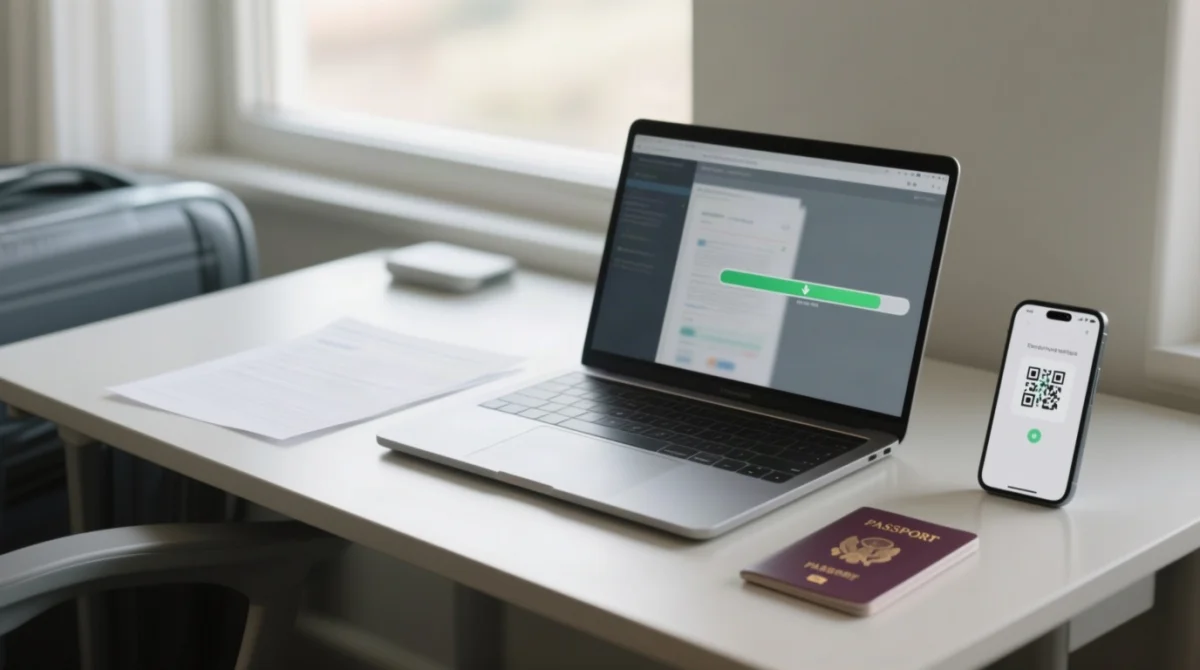
Your ETA is valid for 90 days from issuance. The Pakistan evisa application status tracking process concludes once the PDF is downloaded and stored safely for your trip.
Troubleshooting Login Issues and UK-Specific Tips
If the NADRA portal fails to load, clear your browser cache, disable VPN, use Google Chrome, or contact the relevant helpline at +92 (51)-9207290. A stable browser session and correct security inputs are essential for checking your Pakistan evisa application status.
Troubleshooting Login Issues on the NADRA Portal
| Problem | Cause | Solution |
|---|---|---|
| Portal page blank or partially loaded | Browser cache conflict | Clear cache, switch to Google Chrome |
| CAPTCHA loops on reload | BotDetect Java CAPTCHA Library failure | Refresh page, disable browser extensions |
| Session timeout during login | VPN interference with session | Disable VPN, reconnect directly |
UK-Specific Tips for Checking Your Status
Pakistan Standard Time is 5 hours ahead of GMT, so check during UK morning hours for faster portal response. Email notifications arrive from the @nadra.gov.pk domain, so whitelist it in Gmail, Outlook, or Apple Mail to avoid missing updates. The PakID Mobile App supports Disembarkation Card submission for all foreigners, not eVisa tracking, so use a desktop web browser to check your status.
Processing Delay Escalation
If your application exceeds the standard processing time, escalate by calling the relevant helpline. Prepare your Application Reference Number, passport number, and date of application. Tourist and family visit visas: +92 (51)-9207290. Business and work visas: +92 (51)-9207494. Journalist and study visas: +92 (51)-9208310. The Contact Office is at R-Block, Pak Secretariat, Islamabad, Capital Territory.
How to Avoid Scam Websites
Only use visa.nadra.gov.pk to check your Pakistan evisa application status. The NADRA portal has no third-party website collaboration and is a free public service. Any website requesting payment to check your visa status is not affiliated with the Government of Pakistan. Red flags include requests for payment, non-government domains, and promises of faster processing.
Frequently Asked Questions About Pakistan eVisa Application Status
1. How long does it take for a Pakistani visa to be approved?
Tourist eVisas are processed within 5 to 7 working days. Business visas take approximately 7 to 10 days; work and study visas require 10 to 15 days. Wait until the minimum timeframe has passed before tracking.
2. How do I check visa application status?
Log in at visa.nadra.gov.pk/e-visa/authenticate with your email, password, CAPTCHA, and 2FA. Navigate to application history and enter your Application Reference Number and Passport Number. Takes about 2 minutes, free of charge.
3. How to check if a visa is ready?
Log in and check your dashboard. Status showing Granted means your visa is approved and ready for download. You will also receive an email notification. Download your ETA PDF from the portal; valid for 90 days from issuance.
4. How to track a Pakistan visa application from the UK?
UK travellers use the same NADRA portal. Pakistan Standard Time is 5 hours ahead of GMT, so plan checks accordingly. The PakID Mobile App does not support eVisa tracking; use a desktop web browser.
5. What does In Process mean on Pakistan eVisa status?
Your application is under review by Pakistan immigration authorities. No action required. Tourist eVisas typically remain in this state for 5 to 7 working days. If status persists beyond the standard time, contact the relevant helpline.
6. Where can I find my Application ID and Passport Number?
Your Application Reference Number is in your confirmation email. Your Passport Number is on the main biodata page of your passport. Ensure the date format follows DD/MM/YYYY and your passport number matches exactly as printed on your British passport.
7. What to do if status shows Rejected?
Review remarks in the portal for the reason. You may reapply or contact the helpline at +92 (51)-9207290 for tourist and family visit visas. Ensure all document requirements are met before reapplying.
8. How to track without logging in – email notifications?
Status updates are sent to your registered email. Add the sender domain @nadra.gov.pk to your contacts or whitelist in Gmail, Outlook, or Apple Mail to prevent messages landing in spam.
9. What to do if status shows Additional Information Needed?
Log in, navigate to application remarks, identify the requested document, upload supplementary documents in PDF or JPEG format, and resubmit. Check file size and resolution requirements carefully.
10. How to contact customer support?
Visit visa.nadra.gov.pk/contact to use the Contact Us form, or call: +92 (51)-9207290 (tourist, family visit, Tabligh, missionary, diplomat, domestic aide), +92 (51)-9207494 (business, work, mountaineering, NGO), +92 (51)-9208310 (journalist, study, culture, Afghan origin). Contact Office: R-Block, Pak Secretariat, Islamabad, Capital Territory.
11. Can I check my Pakistan eVisa status without internet?
No. The Pakistan evisa application status is only accessible through the NADRA online portal at visa.nadra.gov.pk, which requires an internet connection. Use Google Chrome on a desktop for the most reliable experience.
12. What if my passport number changed after applying?
Contact the relevant helpline immediately. For tourist and family visit visas, call +92 (51)-9207290. Provide your Application Reference Number, original passport number, date of application, and new passport details. Do not attempt to update it yourself on the portal.
13. Is there a fee for checking my eVisa status?
No. The NADRA portal is a free public service. Any website requesting payment to check your Pakistan evisa application status is not affiliated with the Pakistan government. Always use visa.nadra.gov.pk directly.